


NYC Employees PPO Plan
4.711.00 Reviews
App Specs
- Version
- 1.8.0
- Updated On
- License
- Free
- Downloads
- 10,000+
- Developer
- UNITED HEALTHCARE SERVICES, INC.
- Categories
- Medical
- Platform
- Android
Screenshots
 Analysis by AppCompare
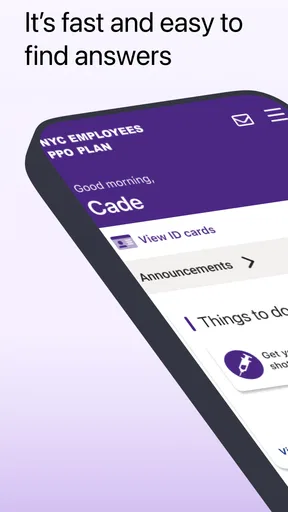
When I first looked at NYC Employees PPO Plan, I understood its purpose immediately: it is a medical app for people enrolled in the NYC Employees PPO Plan, and access begins after receiving a member ID card. That detail matters more than the polished app-store presence, because this is not a general health tool that anyone can open and use. It is a member-facing companion, so its usefulness depends on whether your coverage matches its intended audience.
In my experience, that makes the app easier to judge than many medical downloads. You are not choosing between a dozen wellness dashboards or trying to decide whether a symptom checker is trustworthy. You are deciding whether a dedicated digital doorway to your PPO plan is more convenient than relying on a physical card, a browser, phone calls, or separate paperwork. For the right member, that can be a practical improvement. For everyone else, installing it will not create value by itself.
How the app fits into everyday health-plan tasks
The application comes from UNITED HEALTHCARE SERVICES, INC. and sits in the medical category. Its central role is tied to the NYCE PPO experience rather than to diagnosis, exercise tracking, medication reminders, or emergency care. I would therefore think of it as a plan-access tool, not as a replacement for a doctor, a pharmacist, or urgent medical help.
The first important step is eligibility. The app is designed to be accessed after you receive your member ID card. That means the card is not a minor detail to deal with later; it is part of the starting workflow. If you have just joined the plan, changing jobs, or waiting for enrollment materials, the sensible approach is to keep the card available before attempting to make this app part of your routine.
I also appreciate the clarity of the audience. The short store description identifies it as the NYC Employees PPO Plan, which avoids pretending that the app is a universal UnitedHealthcare product. Still, that narrow focus creates a limitation: someone with a different plan, a family member outside the intended enrollment path, or a person merely looking for general insurance education should not expect the same usefulness.
Because this is a medical service app, I would use it alongside the official information connected to my coverage, not as my only source during a time-sensitive health situation. If I were dealing with severe symptoms, an emergency, or a question requiring clinical judgement, I would contact the appropriate healthcare professional or emergency service instead of waiting for an insurance app to guide me.
The cost question is refreshingly simple
The app is free to download. That makes the initial value proposition straightforward: there is no purchase price standing between an eligible member and the digital tool itself. However, free access to an app should not be confused with free healthcare. The application does not change the terms of a PPO plan, remove deductibles, or guarantee that care will cost nothing. Its financial value comes from convenience and access, while the actual cost of treatment remains a matter of your coverage and provider choices.
Worth Reading Before You Choose

EA SPORTS FC Mobile 26 Is a Bigger Football Game, but It Takes Time

Flipboard Shows What News Apps Must Do Beyond the Feed

Switching to Android Auto Means Rethinking Your Driving Routine

Google Calendar Makes a Crowded Week Easier to Manage

Ludo King Makes the Most of the Minutes Between Plans

Baby Panda World Brings Quick Play to Modern Phones, but Its Game Library Feels Busy
This distinction is especially important when comparing it with alternatives. A paper member card has no download cost, but it can be misplaced. A browser-based plan portal may also be available through ordinary web access, yet it can feel slower when I am already holding my phone in a pharmacy or provider office. A phone call may be better for a complicated coverage question, but it usually requires waiting and explaining the same details aloud. The app’s free price makes it worth trying for an eligible member, though it does not make it automatically better for every task.
I would not judge the app by whether it saves money directly. Its likely benefit is reducing small points of friction around plan access. That can be meaningful when a person needs information while away from home, but it is not the same as a discount app or a financial-planning tool. Anyone downloading it expecting lower medical bills is using the wrong yardstick.
What value I would expect from regular use
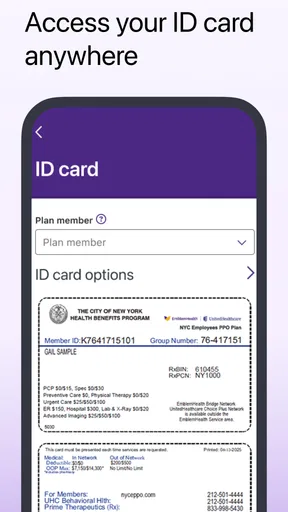
The strongest value is having plan-related access in the same place where I already handle other daily tasks. A physical card is useful, but it depends on remembering a wallet, finding the right side of the card, and keeping the card readable. A dedicated app can be more convenient when the member card is not immediately in reach, assuming the account setup and sign-in process have already been completed.
A realistic example is a routine appointment at a new clinic. I arrive, the receptionist asks for insurance details, and I realize the card is in a different bag. With the app available and my membership already established, I can try to retrieve the relevant plan access from my phone instead of turning the situation into a search through drawers or messages. That is not a dramatic medical breakthrough, but it is exactly the kind of small interruption a focused insurance app can help reduce.
Another useful moment is travel within the country. I would still carry the physical card and would not assume that every provider interaction can be handled through an app, but having a digital plan companion can provide a backup when the wallet is unavailable. The trade-off is that a backup stored only on a phone depends on battery life, device access, and successful authentication. My practical advice is to treat the app as a supplement, not as permission to leave the card at home permanently.
There is also a preparation benefit. Before an appointment, I can make sure the app is installed, confirm that I can open it, and keep my member information close at hand. Doing that before I am standing at a front desk is much better than discovering a login problem while other people are waiting. This is one of the less obvious ways to get value from a plan app: the important work often happens before the moment of need.
Where the experience may become less convenient
The member ID requirement creates the first possible bottleneck. If I have not received the card, I cannot treat the app as an instant substitute for enrollment materials. Someone who downloaded it out of curiosity may reach the access stage and find that the application is not useful yet. That is not necessarily a flaw in the app; it reflects the fact that the tool is connected to a specific insurance relationship rather than being an open medical utility.
Authentication is another practical consideration. Medical apps must protect personal information, so a secure sign-in process is more important than a one-tap entertainment experience. At the same time, security steps can feel inconvenient when I am in a hurry. I would set up access at home, while I have time to resolve account details, rather than waiting until a clinic asks for information.
Phone dependence is a genuine weakness. A dead battery, poor reception, a forgotten device passcode, or an update at the wrong moment can make digital access less reliable than a physical card. For that reason, I would keep a backup plan: carry the member card, save important contact details through an appropriate personal method, and avoid assuming that the app will work as an offline document in every situation.
The app should also not be mistaken for a complete healthcare organizer. Its identity is tied to the NYC Employees PPO Plan, so I would not install it expecting a broad symptom library, a personal health record, or clinical advice. If my main goal were tracking blood pressure, organizing prescriptions, speaking with a clinician, or managing appointments across several unrelated providers, a dedicated health app or the provider’s own system might be a better fit.
How it compares with the usual alternatives
The closest alternative is the physical member ID card. The card wins for simplicity, speed, and independence from a charged phone. The app wins when I have the phone but not the card, or when digital access is easier to organize than a small piece of plastic. I see the two as complementary rather than competing. Replacing the card entirely would create an unnecessary point of failure.
A web portal may be preferable when I need to read a longer explanation, work from a larger screen, or print something for my records. A phone call remains the better route for unusual cases, disputed information, or questions that require a person to interpret the details of my coverage. The app is most attractive for repeat access and quick reference, not for every complicated conversation.
General health apps are different again. They may offer lifestyle tools or clinical content, but they do not serve the same administrative purpose as a plan-specific application. Comparing them only by the number of features would miss the point. NYC Employees PPO Plan has value because it is focused. That focus is helpful when I need plan access, but it also means the app has little reason to remain installed for someone outside the intended membership group.
The application’s public reception is encouraging, with a 4.7 average from around 174 ratings and more than 10K installs. I take that as a positive signal that the basic experience has worked well for many users, but I would not treat those figures as a guarantee for every device or account. Medical access can vary according to enrollment status and personal circumstances, so eligibility still matters more than popularity.
Small workflow choices that make it more useful
My first tip would be to install and test access before an appointment, prescription pickup, or trip. The best time to discover that the member ID card is needed, that account details require attention, or that the phone is not ready is at home. This simple preparation turns the app from an emergency improvisation into a dependable backup.
Second, I would keep the physical card available even after becoming comfortable with the app. That is not redundant. It covers the situations where a provider wants to see the card, the phone cannot connect, or another person needs the information while I am unable to unlock the device. Digital convenience is strongest when it has a physical fallback.
Third, I would separate plan access from medical decision-making. If the app helps me reach insurance information, that does not mean it can tell me whether a symptom is serious or whether treatment is appropriate. Keeping those roles distinct prevents a common mistake: using an administrative tool as though it were a clinician.
Finally, I would review my access after a change in employment or coverage. A plan-specific app is most useful when the membership details behind it are current. If my insurance situation changes, I would not assume that continued installation means continued eligibility or that old digital access represents my new benefits.
Who should install it, and who should skip it?
I would recommend trying it if you are an NYC employee enrolled in the intended PPO plan, have received your member ID card, and prefer keeping insurance access on your phone. It is also a sensible choice for people who frequently forget where they put paper cards, manage healthcare for a household, or want to prepare before visiting a new provider.
The app may be particularly useful for someone who moves between work, home, and appointments during the day. In that situation, the phone is often more consistently available than a wallet or filing folder. The benefit is not flashy; it is the reduction of small administrative delays that can make an ordinary appointment more stressful.
I would skip it, at least for now, if you are not enrolled in the NYC Employees PPO Plan or have not yet received the required member ID card. I would also look elsewhere if what I really want is a symptom checker, fitness coach, medication manager, or unified health record. Those needs call for different tools, and installing a plan-access app will not solve them.
People who strongly prefer paper records may gain little from making this part of their routine. The free download removes the financial barrier, but convenience is personal. If the physical card and a phone number already handle every insurance task comfortably, the app may feel unnecessary rather than transformative.
My verdict on the free download
After weighing its purpose against its limits, I see NYC Employees PPO Plan as a focused convenience app rather than an all-purpose medical companion. Its free access makes experimentation reasonable for eligible members, and its plan-specific design is more useful than a generic health app when the task is connected to this particular PPO coverage.
My recommendation is therefore conditional but clear: install it if you have the matching plan and member ID card, set it up before you need it, and keep the physical card as backup. Do not download it expecting clinical guidance or automatic savings. The value is in quicker, more organized access to your plan, not in changing the healthcare benefits themselves.
The app is currently at version 1.8.0, carries an Everyone age rating, and was released on October 24, 2025. Those details make it approachable for a broad household audience, but the real deciding factor remains membership. For the right NYC PPO member, this is a sensible free backup for everyday insurance access; for anyone outside that group, skipping it is the more practical choice.
Pros
- Broad provider access across New York and nationwide networks.
- Coverage is designed specifically for eligible NYC employees and dependents.
- May include preventive care with little or no out-of-pocket cost.
- Useful digital tools can help locate doctors and manage claims.
- No referral may be needed for many specialist visits.
Cons
- Eligibility is limited to qualifying NYC employees and dependents.
- Out-of-network care can result in significantly higher costs.
- Copays
- deductibles
- and coverage rules vary by service.
- Provider directories may not always reflect the latest network changes.
- Claims and prior-authorization processes can be time-consuming.
FAQs for NYC Employees PPO Plan
What is the NYC Employees PPO Plan app used for?
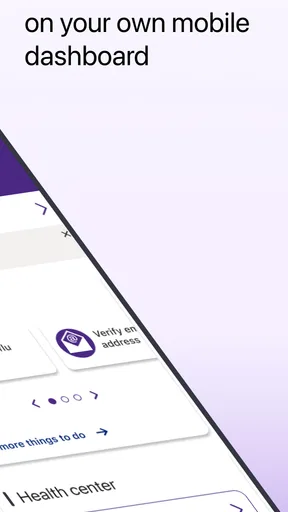
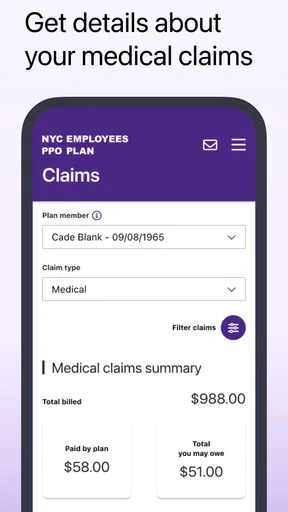
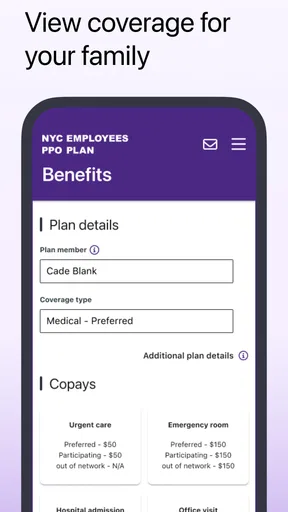
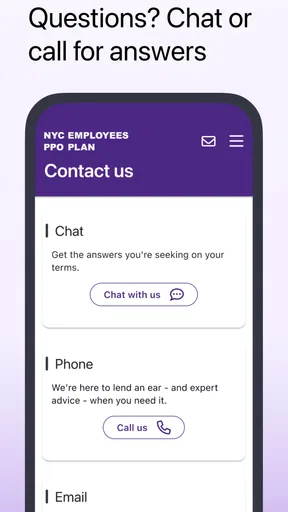
The NYC Employees PPO Plan app is designed to help eligible New York City employees and their covered dependents manage health-plan information in one place. Depending on the available features, members may be able to review benefits, access digital identification details, search for participating providers, check claims or coverage information, and find customer-service contacts. The exact tools can vary by plan and app version.
Who can use the NYC Employees PPO Plan app?
Access is generally intended for members enrolled in the applicable New York City Employees PPO health plan, including eligible covered dependents when supported. You may need information from your member ID card, such as an identification number or group number, to register or sign in. Retirees, dependents, or employees enrolled in another NYC health option may have different access requirements, so eligibility should be confirmed with the plan administrator.
Is the NYC Employees PPO Plan app free to download?
The app is typically available to download at no additional charge from the official Android or iOS app store. However, downloading the application does not mean that medical services, deductibles, copayments, coinsurance, or other plan costs are free. Standard mobile-data charges may apply if you use the app over cellular service. Always verify the publisher and official listing before installing.
Can I use the app to find doctors and check whether services are covered?
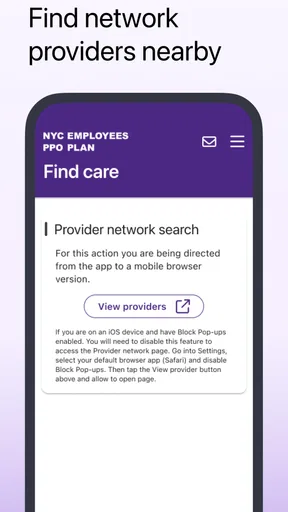
Many health-plan applications provide provider-search and benefits-information tools, but the results shown may depend on your specific PPO network, location, and plan year. The app can be useful for checking participating doctors, facilities, or general coverage details, yet it should not replace confirmation from the provider or member-services department. Before receiving expensive or specialized care, verify network status, authorization rules, and estimated costs.
What should I do if I cannot sign in or the information looks incorrect?
First, check that the app is updated, your internet connection is working, and the member details were entered exactly as shown on your identification card. Use the password-recovery or account-support option if available, and avoid sharing your password or security codes. If benefits, claims, eligibility, or provider information appears inaccurate, contact the official NYC Employees PPO Plan member-services team using the phone number or website listed on your card.


